Letter

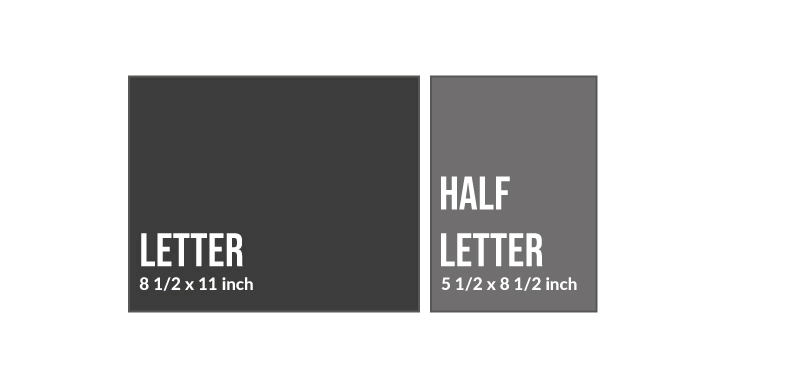
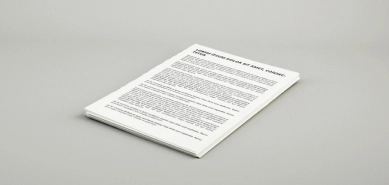
Dimensions: 8.5 x 11 inches. This is the most commonly used paper size and the ideal format for printing notes, official documents, and more.

Half Letter

Dimensions: 5.5 x 8.5 inches. Exactly half the width of a Letter sheet, it’s ideal for printing planners, notebooks, and similar materials.

Standard

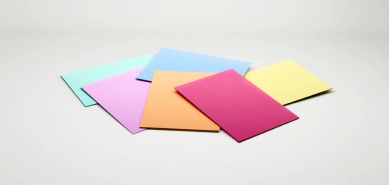
80 gsm paper. Its brightness, silky feel, and weight make it the ideal paper for printing your notes, personal documents, and more.

High Quality

100 gsm paper. Thicker and whiter than standard paper, it’s the ideal choice for printing higher-quality documents like presentations or reports. If you need to print double-sided documents with heavy color use, this paper prevents any ink from showing through.

Loose Leaf

Your files will be delivered as loose pages. This means they’ll come straight from the printer with no finishing applied.

Spiral Binding

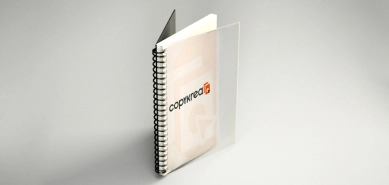
Your files will be bound into volumes using plastic spirals, along with plastic or cardstock covers (the configurator will show the material used for each cover). We offer a wide range of colors so you can fully customize your binding. Please note that each volume can hold up to approximately 400 sheets. If your document exceeds this limit, we’ll split it into multiple volumes, keeping them as balanced as possible and avoiding splitting sections whenever we can. If you prefer a different organization, we recommend uploading your files already divided according to this page limit.

Stapled

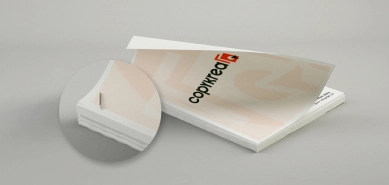
Your files will be stapled individually in the top left corner. Please note that up to approximately 100 sheets can be stapled together. If your document exceeds this limit, it cannot be stapled. We recommend organizing your files accordingly if you’d like to receive them stapled.

Preview your binding in our configurator by selecting your preferred spiral and cover colors.

Spiral colors

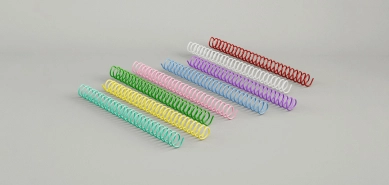
Choose from 18 plastic spiral colors to fully customize your binding. We use a 4:1 punch pattern (46 holes along the long edge). The spiral size will be selected based on the number of pages in your document.

Back cover color

The plastic back cover is lighter and thinner than the cardboard one, making it more flexible. This material is more resistant to water, allowing it to be cleaned with a damp cloth if it gets dirty. It is available in black.

Front cover color

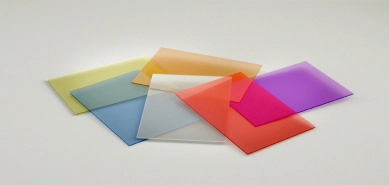
Our front covers are made of plastic, providing flexibility and lightness to the binding. It is transparent, allowing the document cover to be fully visible, and features a glossy finish.

Some of your uploaded files may show a colored frame and a message. This helps you quickly check whether everything is ready to print or if anything needs your attention:
Blue frame
We’ve converted your file to PDF. During this process, some elements may have shifted slightly. Click the preview (eye) icon to make sure everything looks correct.
Orange frame
The file size doesn’t match your selected print format. If it’s larger, the excess will be cropped. If it’s smaller, it will be centered and white margins will be added.
Green check
You’re all set. The file size is correct and ready for printing.
Add blank sheets at the beginning (Front) or end (Back) of the file using the + and – icons. This option only applies to the file you're setting up. To do it for others, go to their settings.
Help Us Improve Your Order!

We need to clarify a detail of your order to ensure that you receive the prints just as you need them. Please confirm the following information.

Add Blank Page

Your print is double-sided, but we see that you only have single-page documents. By default, the system adds a blank page at the end of documents with odd pages to maintain their order and start on a new sheet. However, based on the type of your files, we think you might want this to be different, and the second document appears on the reverse side of the first document, i.e., combined. How do you want us to print them?

Default Each document will start on a new sheet
Combine The second document will be printed on the reverse side of the first
Help Us Improve Your Order!

We need to clarify a detail about your order to make sure you receive your prints exactly as you need them. Please confirm the following information.

Do you want to add blank pages or print multiple copies of your document?

You've added several blank pages to your document. Please note that you have selected blank (non-printed) sheets, not multiple copies of your document. If you want to print more than one copy of your file, please specify the amount using the “Number of Copies” button.

Help Us Improve Your Order!

We need to clarify a detail in your order to ensure you receive your prints just as you need them. Please confirm the following information.

Repeat the Document on the Page

Your document has only one page and you've requested multiple pages per side. Would you like us to repeat that page to fill the sheet? Otherwise, by default, your single page will be reduced in size and the rest of the sheet will be blank.

Default print only existing pages
Repeat page Repeat the page to fill the sheet
Help Us Improve Your Order!

We need to clarify a detail of your order to ensure you receive the prints exactly as you need them. Please confirm the following information.

How many copies do you need?

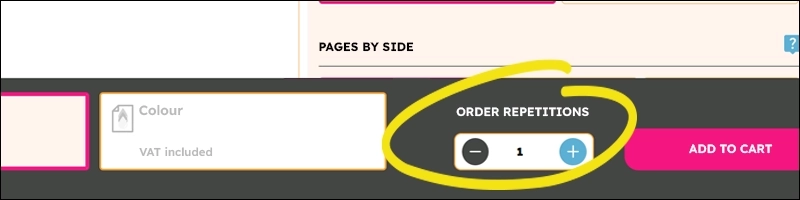
You indicated that you wanted multiple copies of some files, but when selecting grouped binding, copies must be applied to the entire set (not per individual file). If you want to receive more than one copy of the already grouped and bound file, indicate it in the “Order repetitions” button you will find at the end of the configurator. In the image below, you can see where to easily find this button.

Your product has been successfully added to the cart.